Features
Construction Management Software, Feature by Feature
A deeper look at how BuildCrew Manager handles each part of your business — the quote, the job, the review and the money.
Quotes priced from your own price table
Pick the service — drywall, painting, backsplash, baseboard/trim — fill in the measurements, and the calculator prices the job from your price table: your labor, your materials, your minimum fee. Adjust a line if you want, then send a clean, client-ready PDF.
- Labor-only or labor + materials, per service
- Your rates, editable anytime — new quotes use them instantly
- An approved quote becomes a project in one step
Projects, stages & deadlines
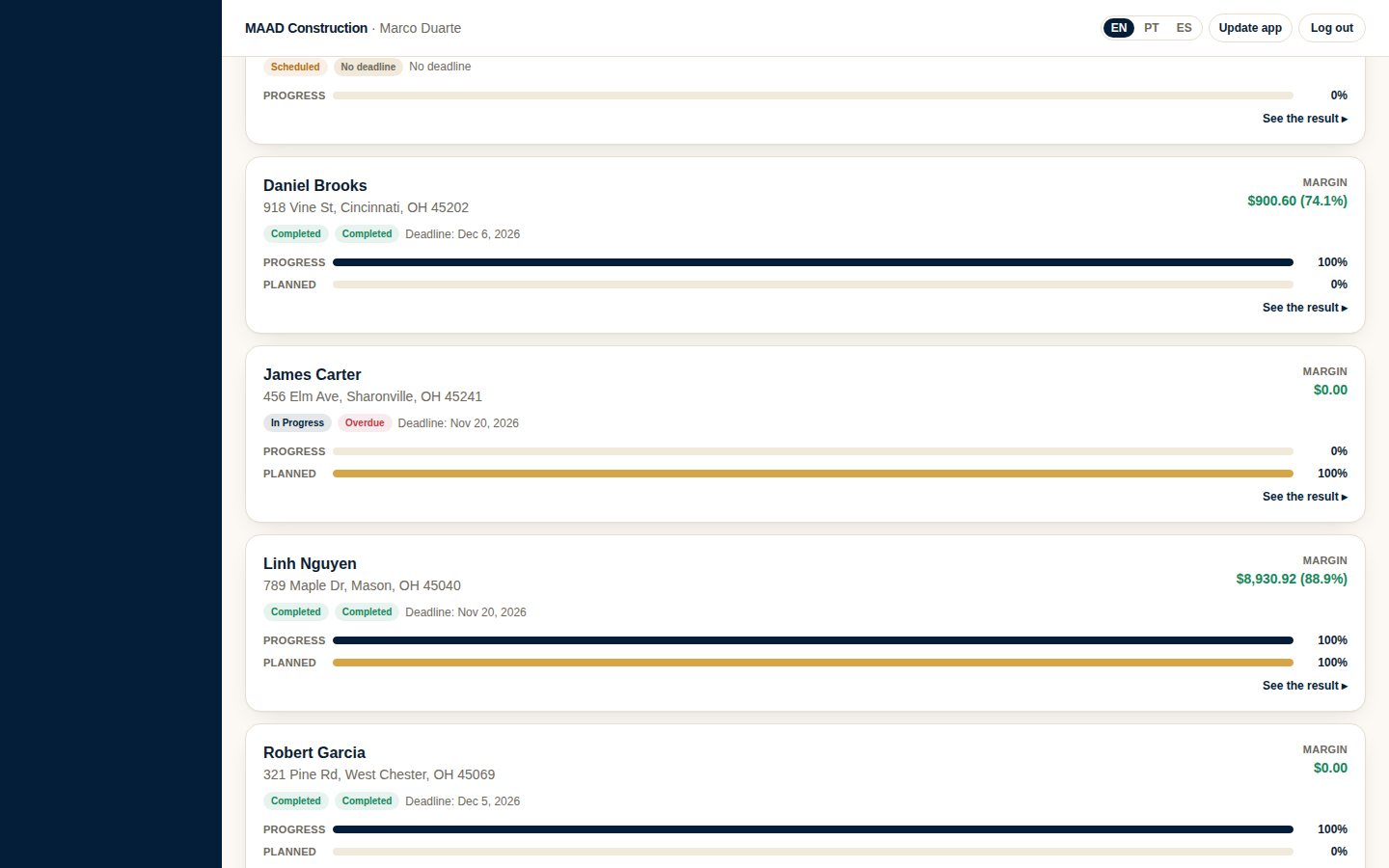
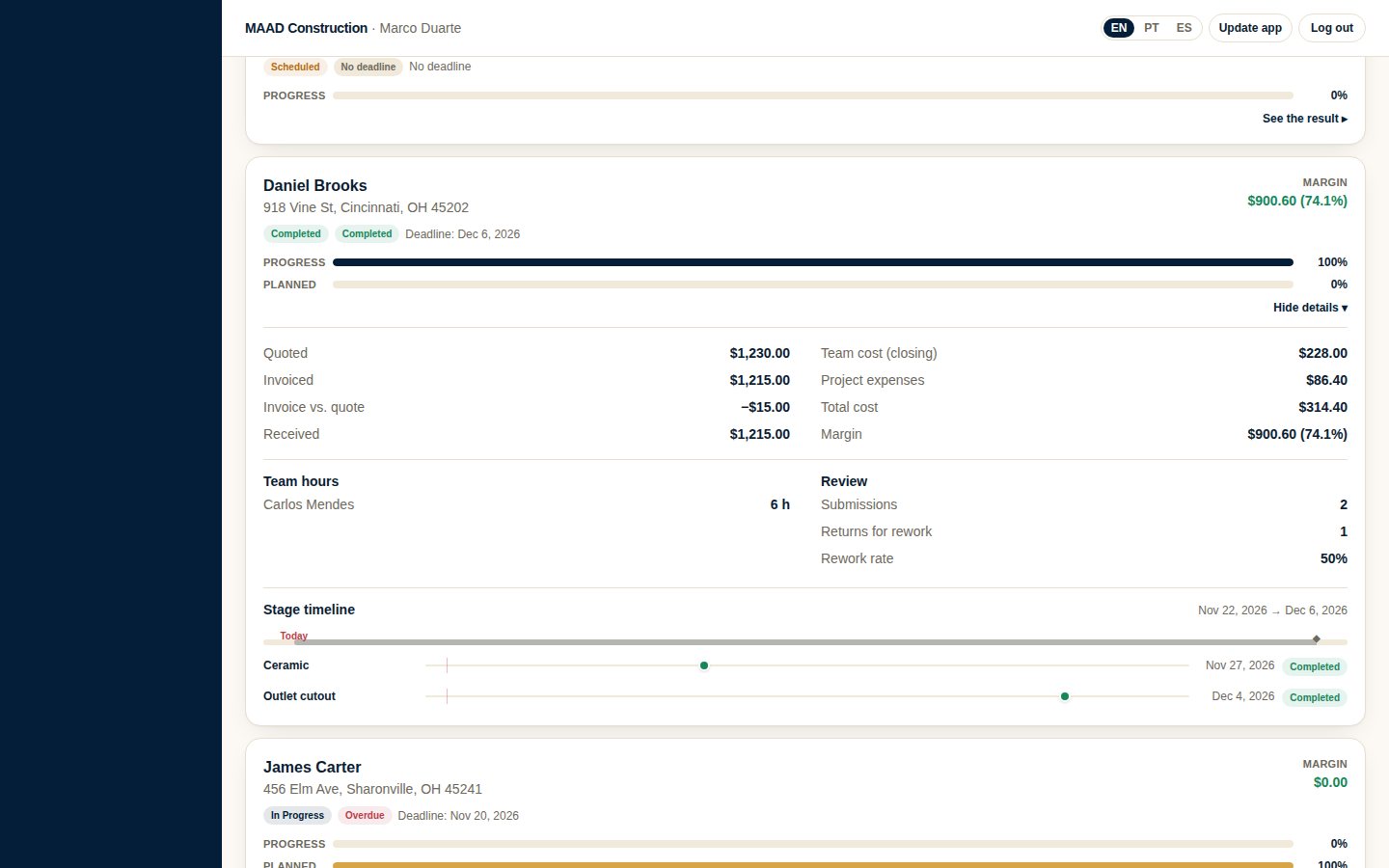
An approved quote is born as a project: break it into stages, give each stage a deadline, and assign the crew. The project shows real progress next to what was planned by today — and anything overdue turns red, on the owner's and the supervisor's screens alike.
- Progress vs. planned, computed the same way for every role
- Overdue projects and stages flagged automatically
- The crew sees their queue — stages and dates, never prices
Supervisor review: approve it or send it back
When a crew member finishes, the work waits for review. A supervisor — or the owner — approves it, or returns it for rework with the reason written in. Nothing counts as done until it's approved, and only approved work can be invoiced.
- Returns always carry a reason — no silent rework
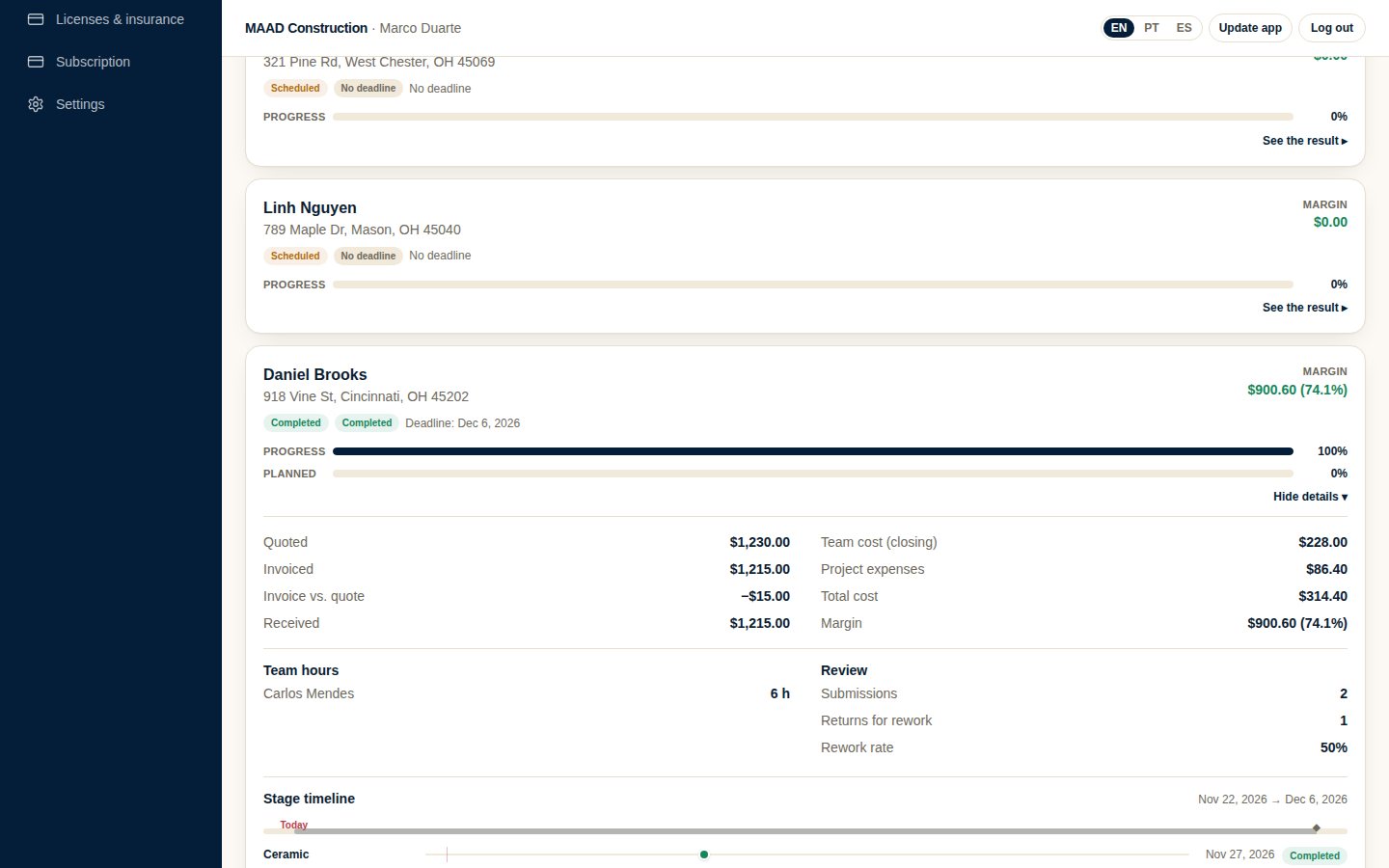
- Rework rate per project, visible in Management
- Solo companies skip review: the owner's own work needs no approval
Invoices & receivables
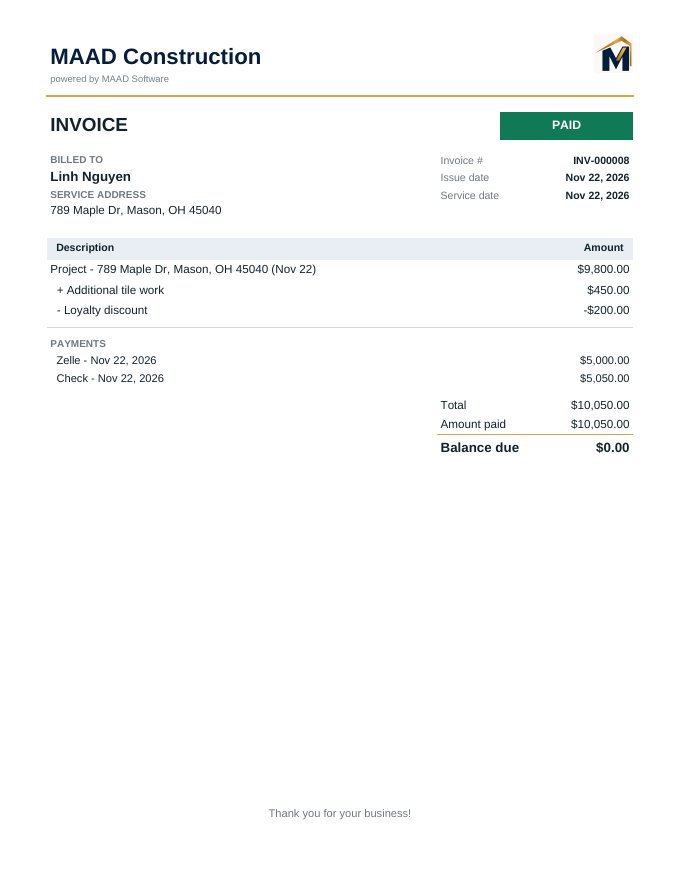
Generate the invoice from the approved work: add extras, apply a discount, and the PDF is ready to send. Clients pay the way they already do — you record each payment, partial payments keep a visible balance, and receivables always answer “who owes what”.
- Invoice total can differ from the quote — the variance is tracked
- Partial payments with a running balance
- Receivables by project, always current
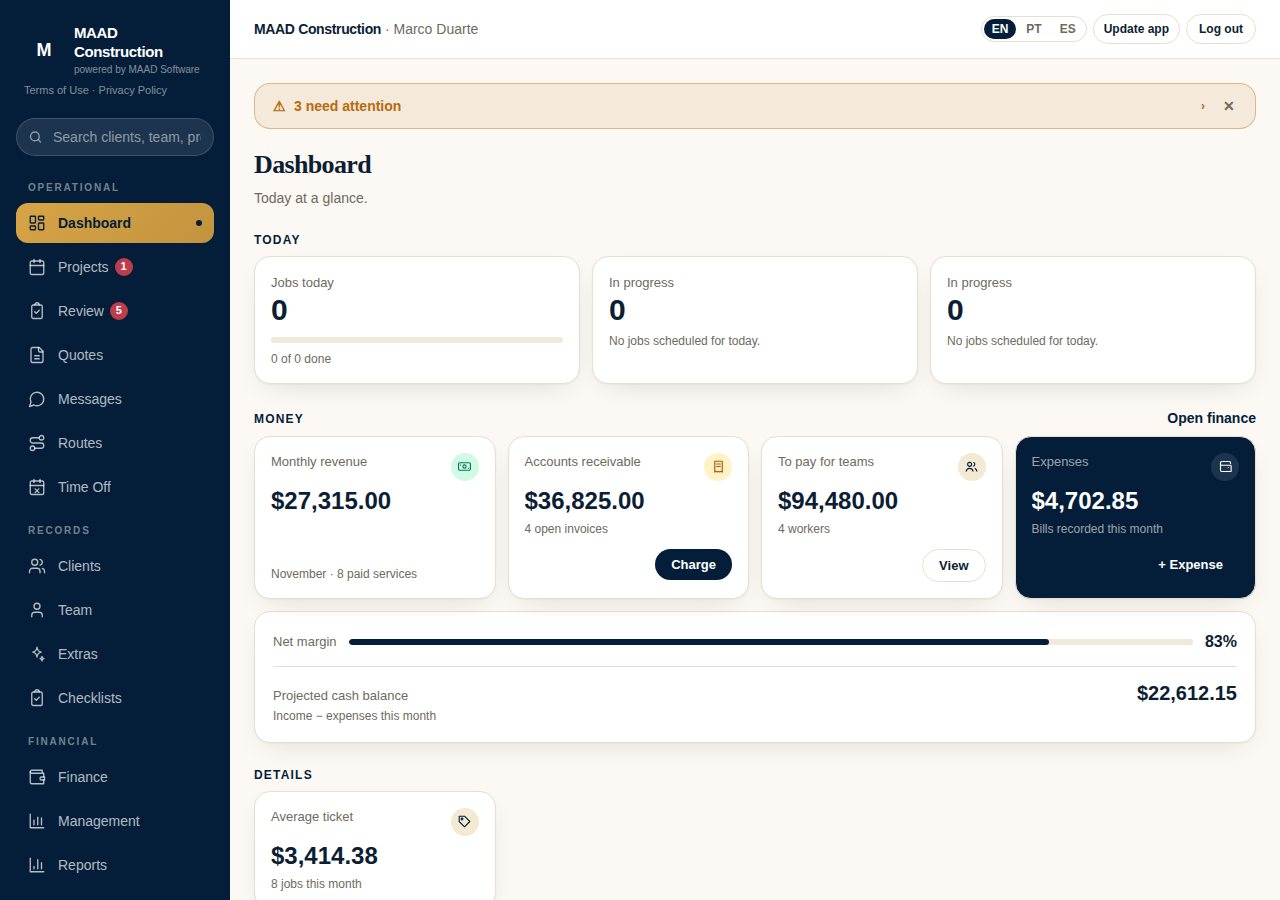
Team pay: by the hour or by the day
Each person has their own rate and their own way of being paid: by the hour — with overtime at 1.5× past 40 hours in a week — or by the day worked on the project. The weekly closing adds it up per person and per project, and posts the cost where it belongs.
- Hours come from the crew's own clock in and out
- No commission math, no percentage deductions — pay is direct
- Each worker sees only their own pay
Management: which projects make money
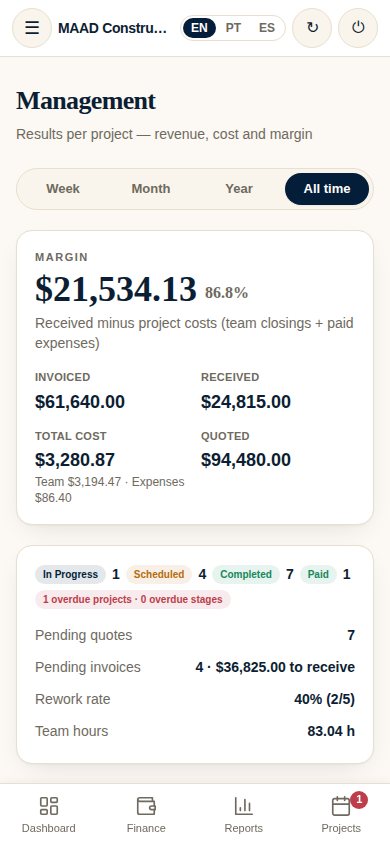
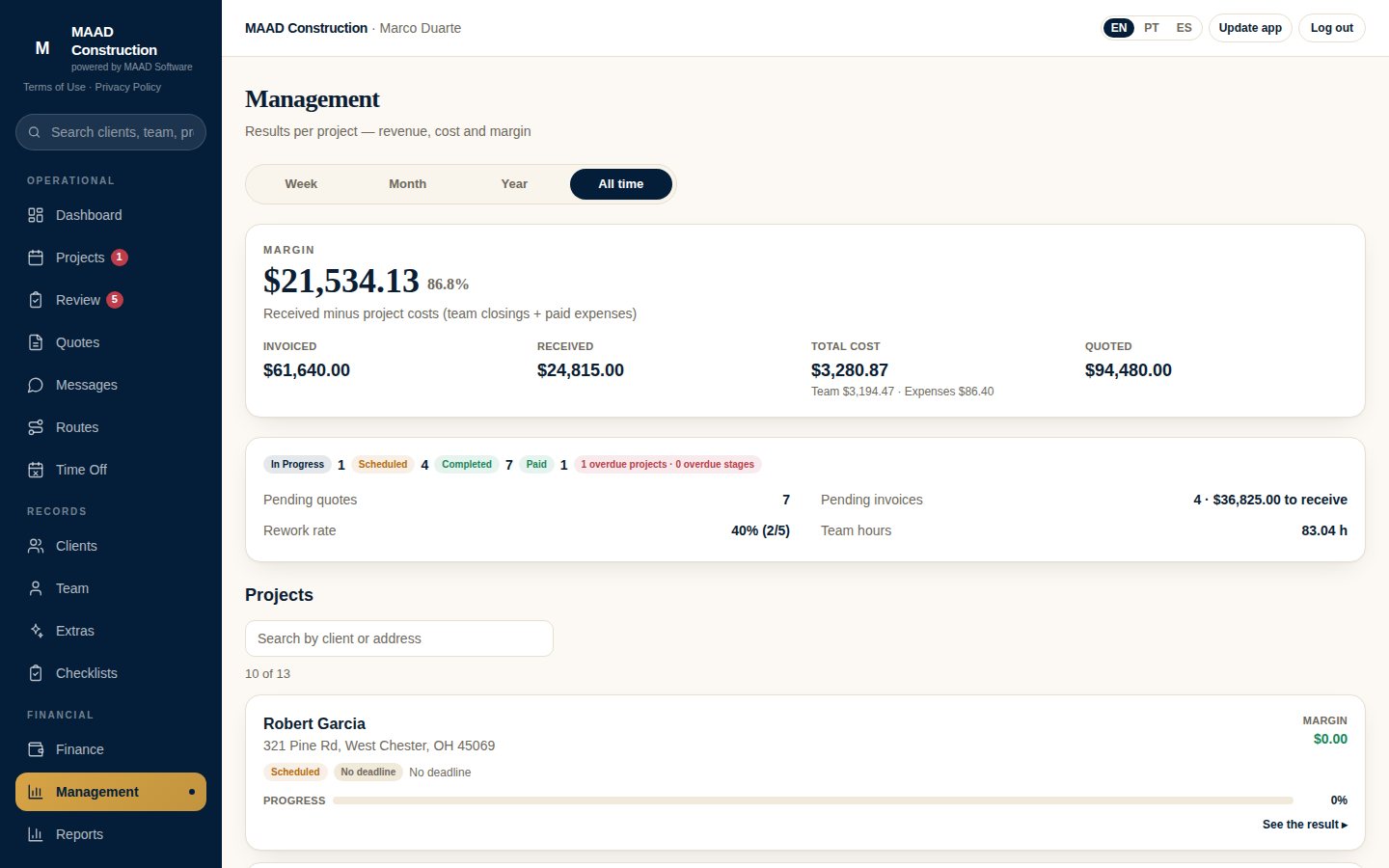
The management view answers the question that matters at the end of the month: what was received minus what each project cost — team pay and expenses included. Margin per project, quoted vs. invoiced, delays and rework, with charts for the whole portfolio.
- Cash-basis margin: money received − project costs
- Week / Month / Year / All periods
- Overdue projects and stages shown in red
Roles that grow with your company
Start with just the owner — no approvals, nothing blocked. Add the crew when you hire. Add supervisors when the operation needs them: each new layer is an upgrade, never a requirement, and every role sees only what its work requires.
- Owner: everything, including all financials
- Supervisor: full operation, without the owner's financial data
- Crew: their queue and their own pay — nothing else